
AI food recognition
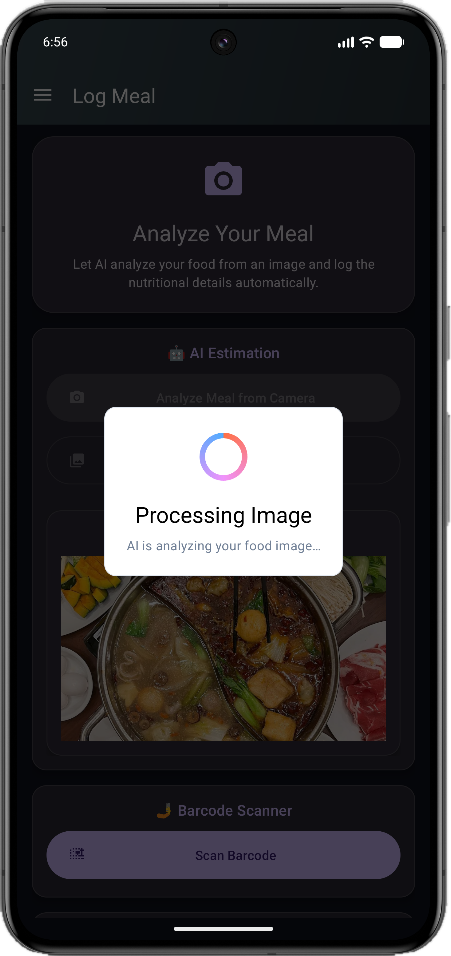
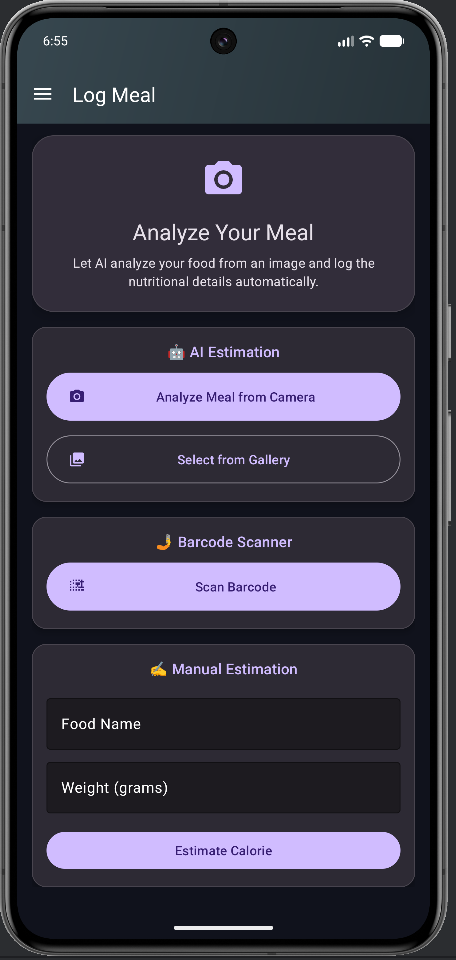
Point the camera at your plate. Vision models identify each item, estimate portion size and return a full calorie count — no database searching, no guesswork, no scale.
CalCal reads your plate with computer vision and returns calories, macros and micronutrients in seconds — then suggests the exact workout to balance your day. No weighing. No endless searching.
Free to download · Available on Android · No card required
Most calorie apps ask you to be a data-entry clerk. CalCal asks for a photo.
Point the camera at your plate. Vision models identify each item, estimate portion size and return a full calorie count — no database searching, no guesswork, no scale.
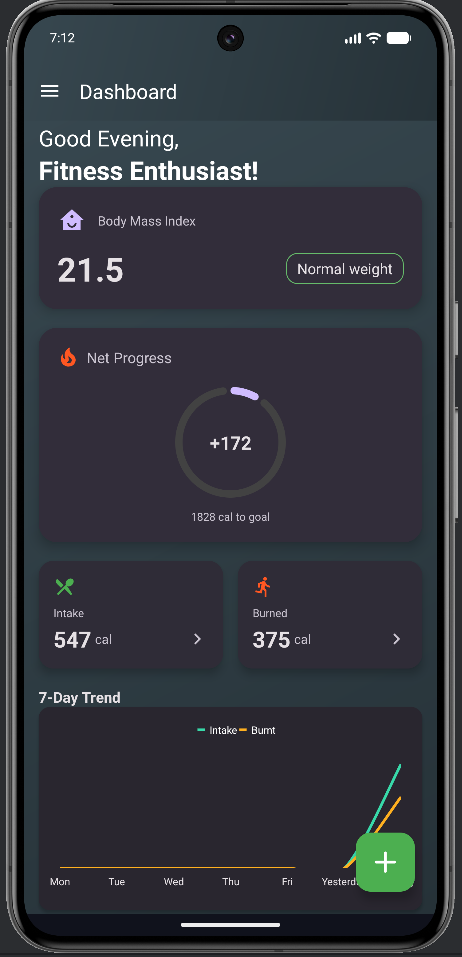
Set your height, weight, age and target. CalCal calculates your BMI and daily calorie budget, then keeps net progress front and centre so you always know where you stand.
Seven-day intake versus burn charts turn scattered logs into a pattern you can act on.
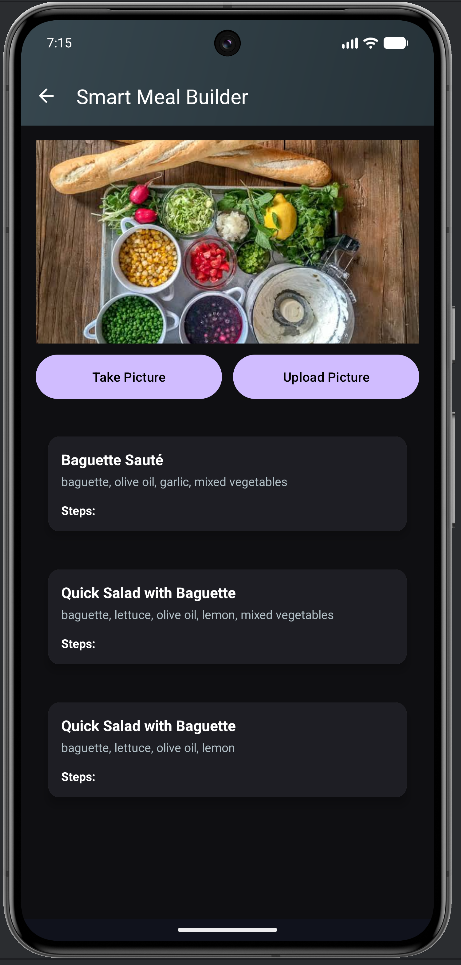
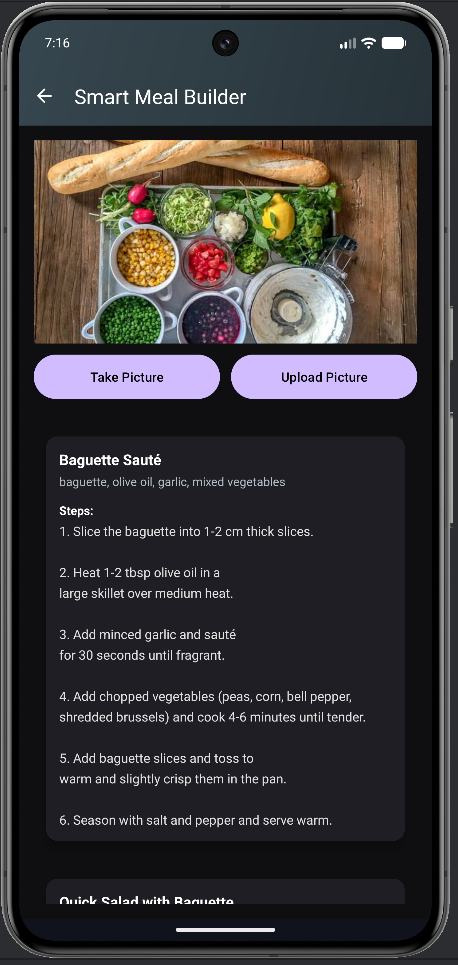
Tell it your calorie target and cravings and get a complete recipe with method and macros.
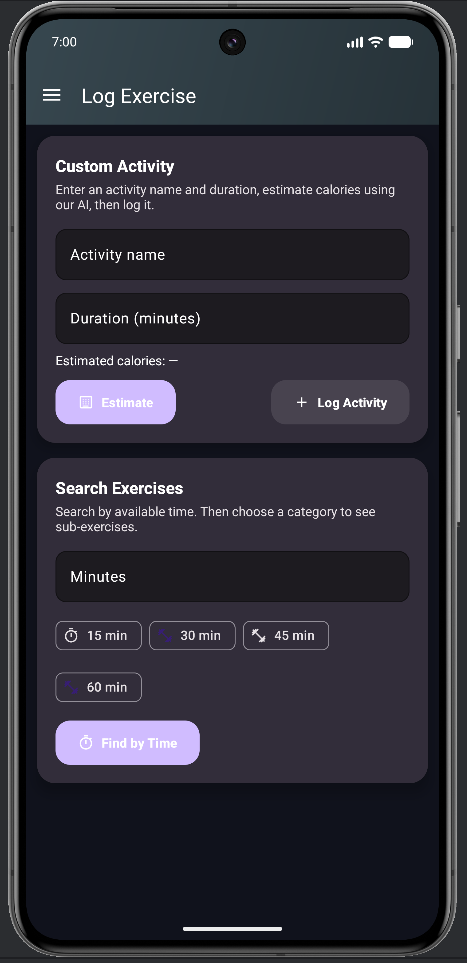
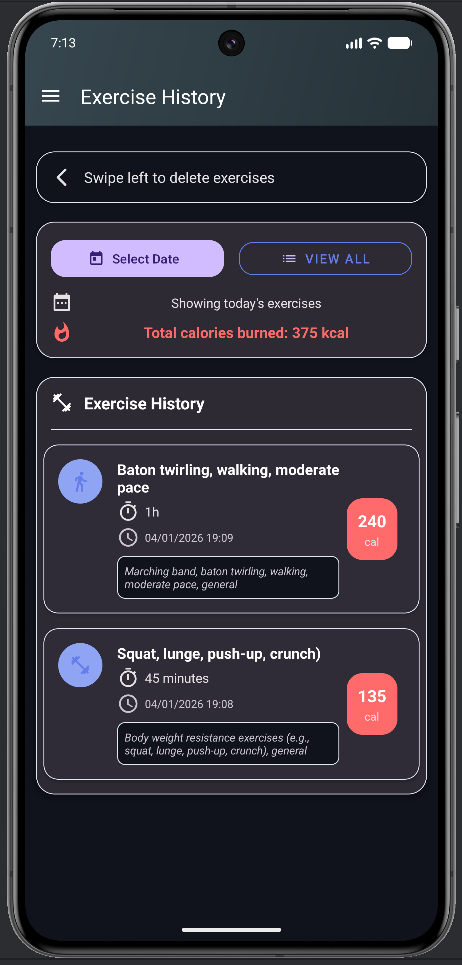
Log cardio or strength and see calories burned counted straight against your intake.
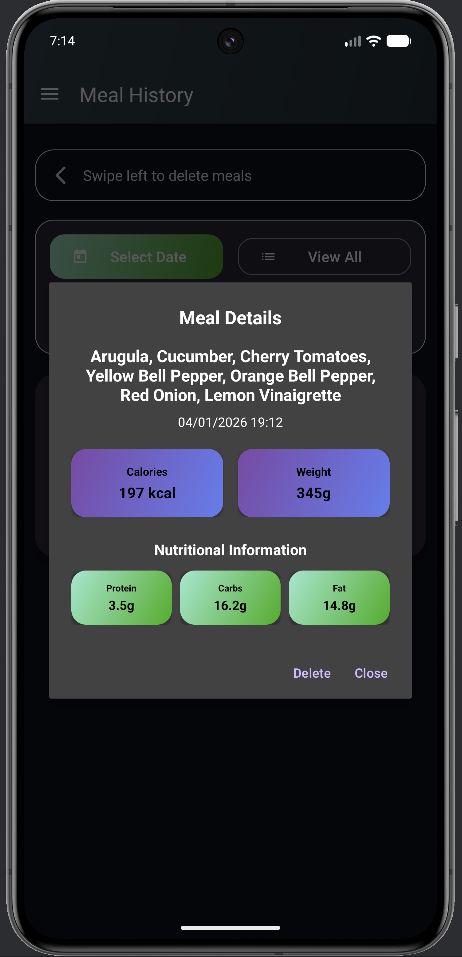
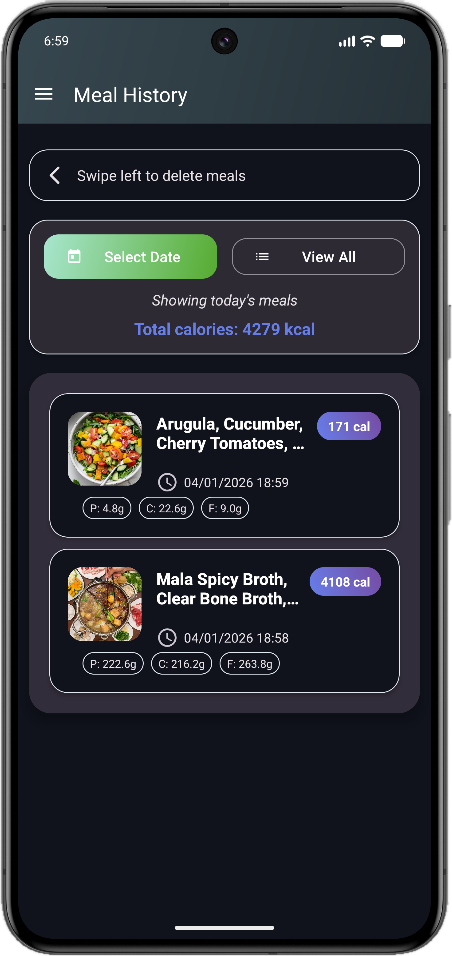
Protein, carbs, fat, fibre, sodium, vitamins — see the full picture of every meal, so eating well stops being a number game and starts being a habit.
Every meal and workout kept with timestamps and totals — scroll back to any day and see exactly what you ate and what you did about it.
Set up once, then it's a photo a meal. That's the whole routine.
Enter your stats and pick lose, maintain or gain. CalCal works out your daily calorie budget and macro split for you.
Take a photo and let the model do the analysis — items, portions and calories come back while you're still at the table.
Log workouts alongside meals and follow your net progress, streaks and weekly trend on one dashboard.
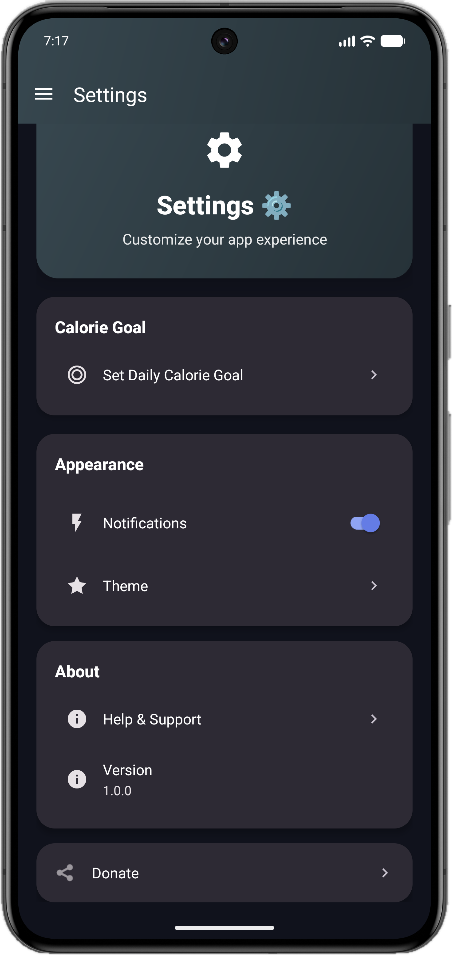
Dark, calm and fast — every screen built so logging takes seconds, not minutes.
Open the app and everything that matters is already there — no drilling through menus to find out how you're doing.
Snap it, scan it or type it. However the food gets in, you get the same depth of detail back.
Calories in only tell half the story. Log what you did and CalCal folds it straight into your daily balance.
Stuck for what to eat? Describe what you have or what you fancy and get a recipe engineered to fit the calories you have left.
The app is the easy part. These are the ideas worth coming back to.
Fitness isn't about building a better body. It's about building a better life.
The food you eat can either be the safest and most powerful form of medicine — or the slowest form of poison.
Take care of your body. It's the only place you have to live in.
The things people ask us most.
Download CalCal, set your goal in under a minute, and let a photo do the rest. Your future self will appreciate the head start.
Bug reports, feature requests, or just want to tell us how it's going? We read everything — either address below reaches us.